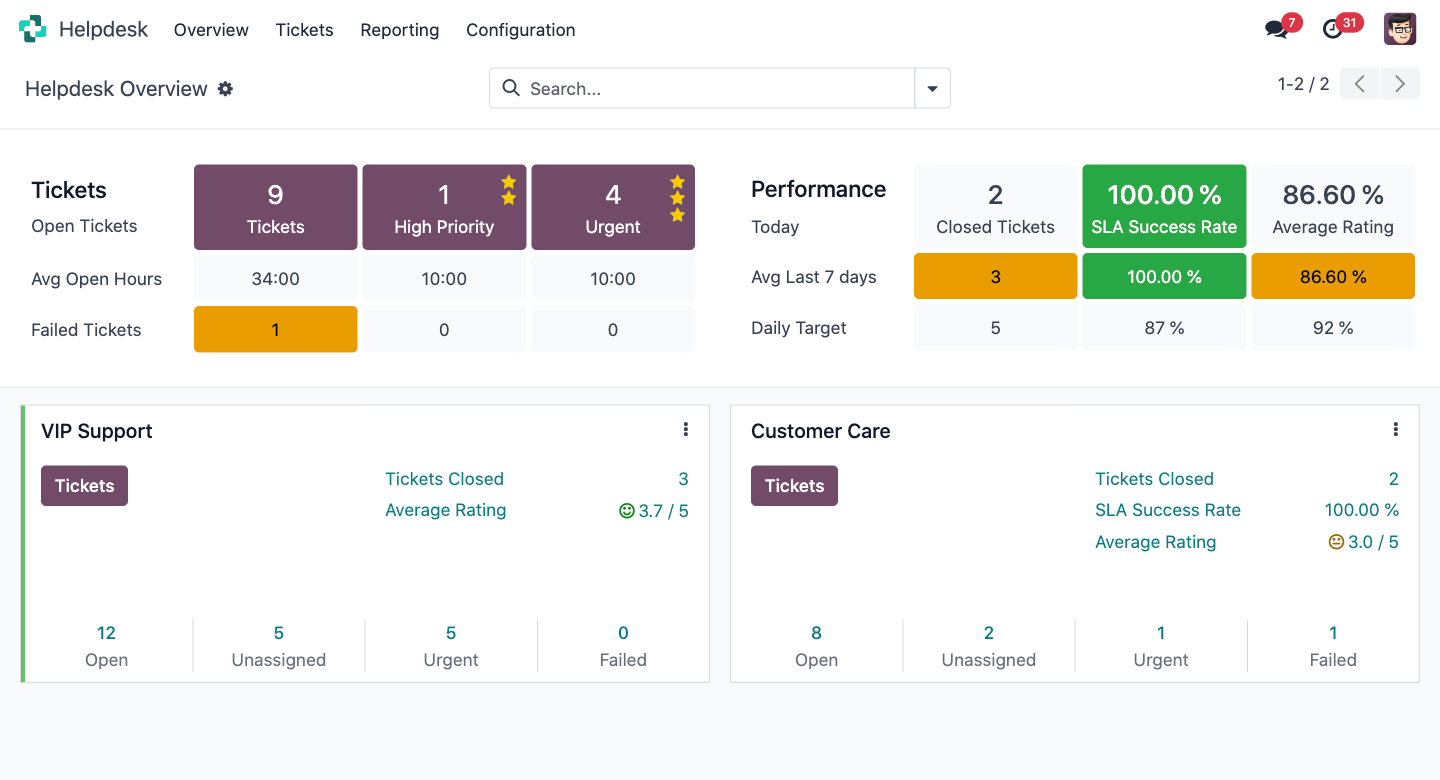
Tri-Comp promises 24/7 on-site and off-site support to every maintenance-contract client. Odoo Helpdesk turns that promise into a system: every email, call and portal request becomes a ticket with an SLA clock, routed to the right engineer, escalated automatically before it breaches — so four engineers can carry a support load that would otherwise need a coordinator watching an inbox.
Today a support request can arrive by email, by phone, or through a client's own IT manager messaging an engineer directly — and only the person who received it knows it exists. Odoo gives Tri-Comp one queue that everybody can see.
TechNext configures the whole path — from the moment a client's server misbehaves to the moment the visit is invoiced — so no step depends on someone remembering to do it.
An email to enquiry@tri-comp.com, a call logged by an engineer, or a request raised by the client in their portal — all three create the same ticket.
Odoo reads the client record, applies the SLA from their maintenance contract, sets the priority, and assigns the engineer on duty.
Remote fix? The engineer resolves and logs time in the ticket. On-site needed? One click turns it into a field-service task with a scheduled slot.
The client sees progress in their portal and gets every update by email. No "any news?" phone calls chasing an engineer mid-job.
Time logged on the ticket flows to the timesheet. Covered by contract, it's absorbed; out of scope, it's invoiced — automatically.
Tri-Comp's maintenance contracts don't all promise the same response. Odoo holds a separate SLA policy per tier and starts the clock the second the ticket lands — then warns, reassigns and escalates on its own.
Illustrative tiers — TechNext configures the exact response and resolution targets Tri-Comp already commits to in its contracts.
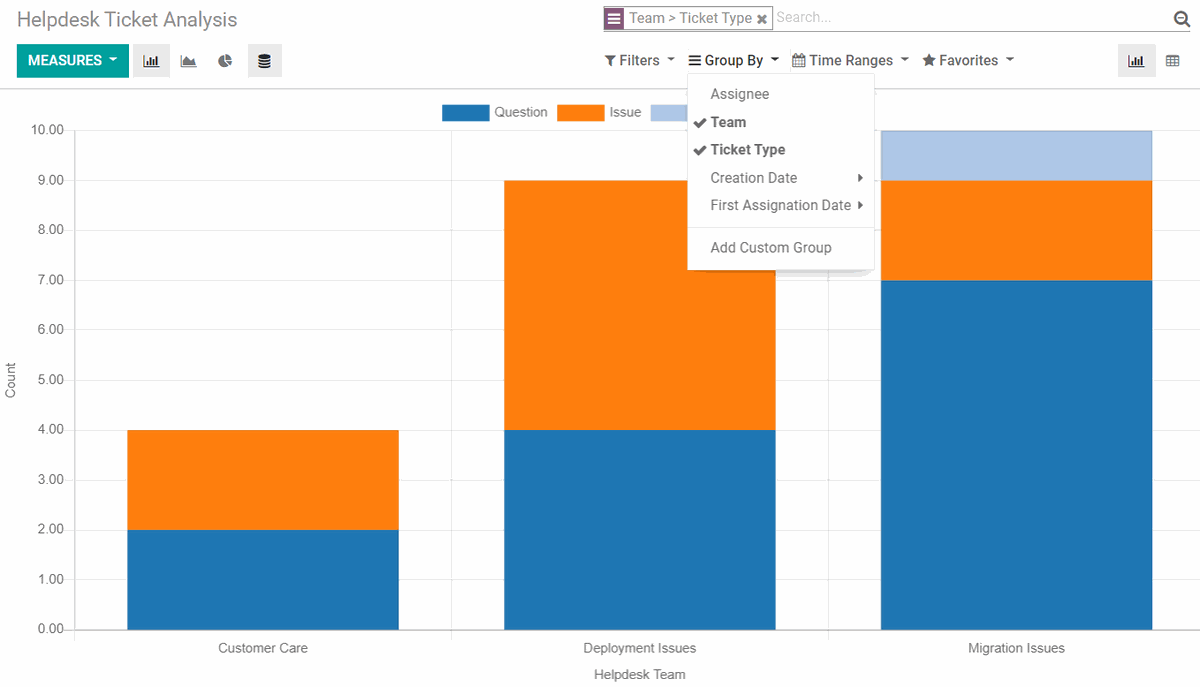
Kanban by stage for the daily stand-up, list view filtered by SLA risk when things get busy, and a closing view that captures the fix so the next engineer doesn't start from scratch.
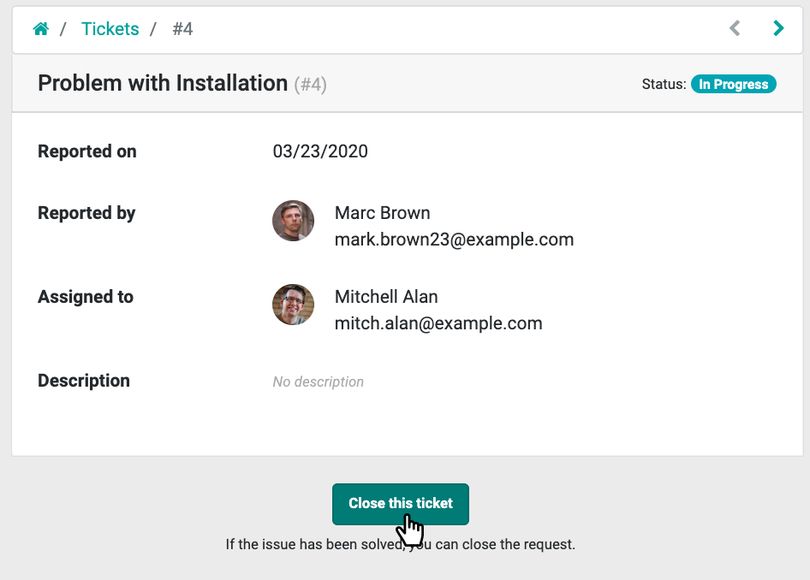
Each client gets a login to their own portal — raise a ticket, watch it progress, read the resolution, download past service reports and invoices. It is the kind of professionalism enterprise clients expect from an IT partner, and it cuts the "just checking in" calls that interrupt engineers on site.
With four engineers, knowledge that lives in one person's head is a business risk. Odoo captures it as it's created.
Every recurring fix becomes an article — router configs, VOIP PBX resets, access-control enrolment steps. Engineers attach an article to a ticket in one click instead of re-typing instructions.
Standard replies for the requests that come in weekly — password resets, mailbox quota, new-starter setup — written once, sent consistently, in Tri-Comp's tone.
Open any client and see every ticket ever raised, every engineer who attended, every part replaced. Renewal conversations stop being guesswork.
Engineers record minutes against the ticket as they work. That feeds contract-consumption reporting and out-of-scope billing without a second system.
Odoo can draft a reply from the ticket history and the knowledge base for the engineer to review and send — useful at 2am on a 24/7 call.
Tickets by client, by type, by engineer; SLA success rate; average resolution time. The numbers Tri-Comp needs when a client asks whether the contract is worth renewing.